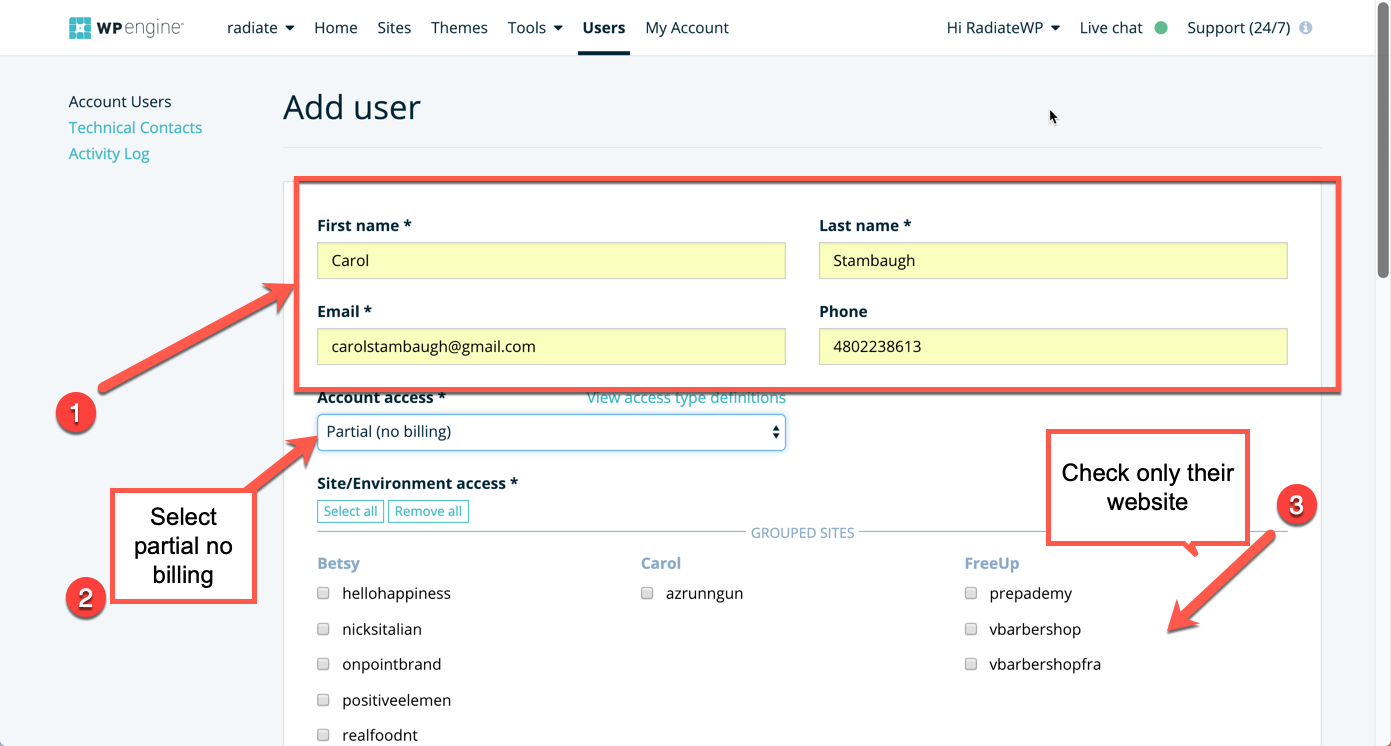
Certain functions for websites can only be done by someone with a user account on the WPEngine Dashboard. (my.wpengine.com). For example, you can purge cache, do redirects at the domain level and set up SFTP user accounts. The most common need for our clients is to access the dashboard to set up an SFTP user account. When setting up the new user, you will need the user’s:
- First Name
- Last Name
- Email address.
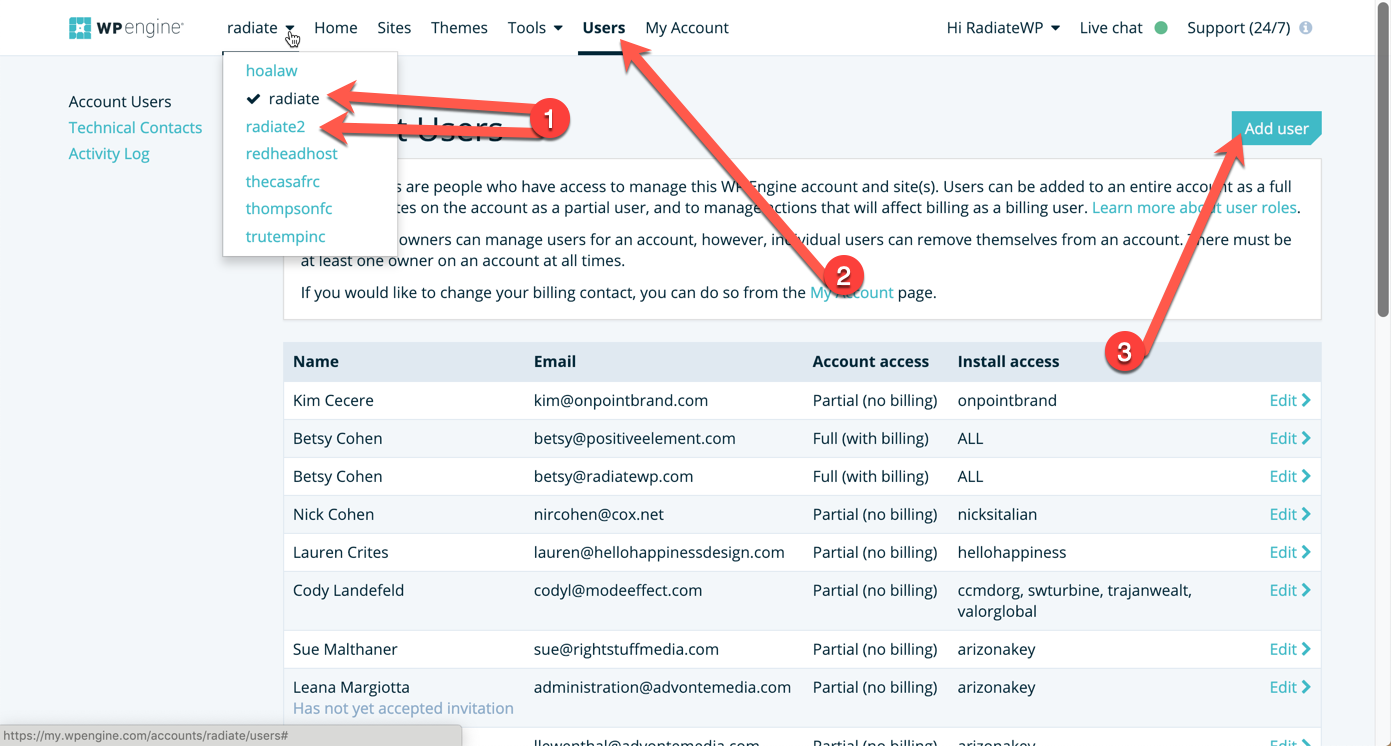
Once you have this information, go to the server where the client’s site is located and click on users at the top of the dashboard, then “Add User”.
Then add the information, select “partial no billing” and check the box in front of the site the user should have access to.