Fluent Booking functions like Calendly. Here are the instructions for setting up Fluent Booking.
Important Prerequisites:
1. The person must already have a WordPress user account. It can be a contributor-level access.
2. The email associated must be a Radiatewp.com email.
3. A radiatewp.com email address can easily be attained with an alias using the [email protected] account. Carol can set this up.
Instructions
Setting up your hours
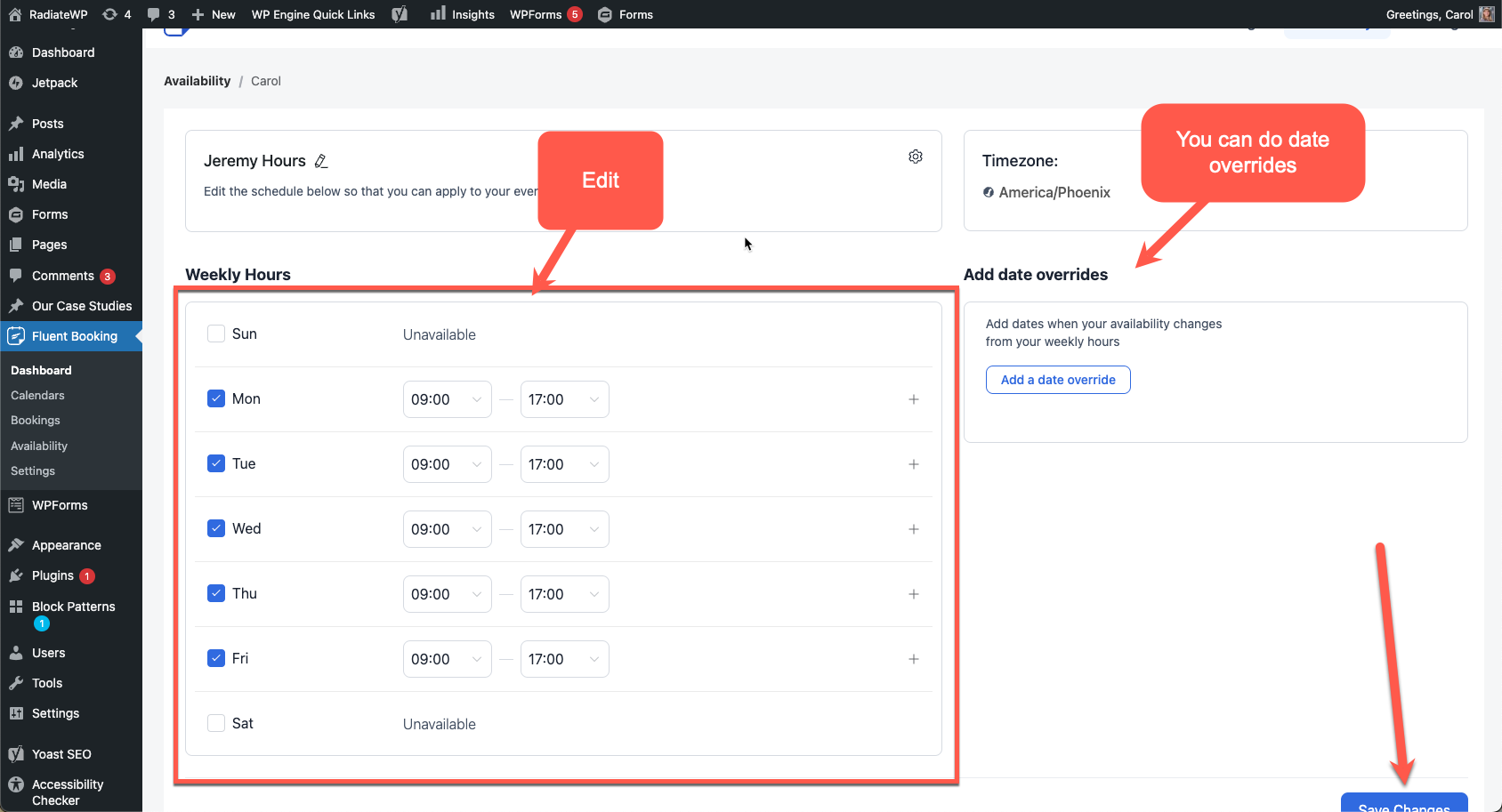
Go to Fluent Booking -> Availability and select your name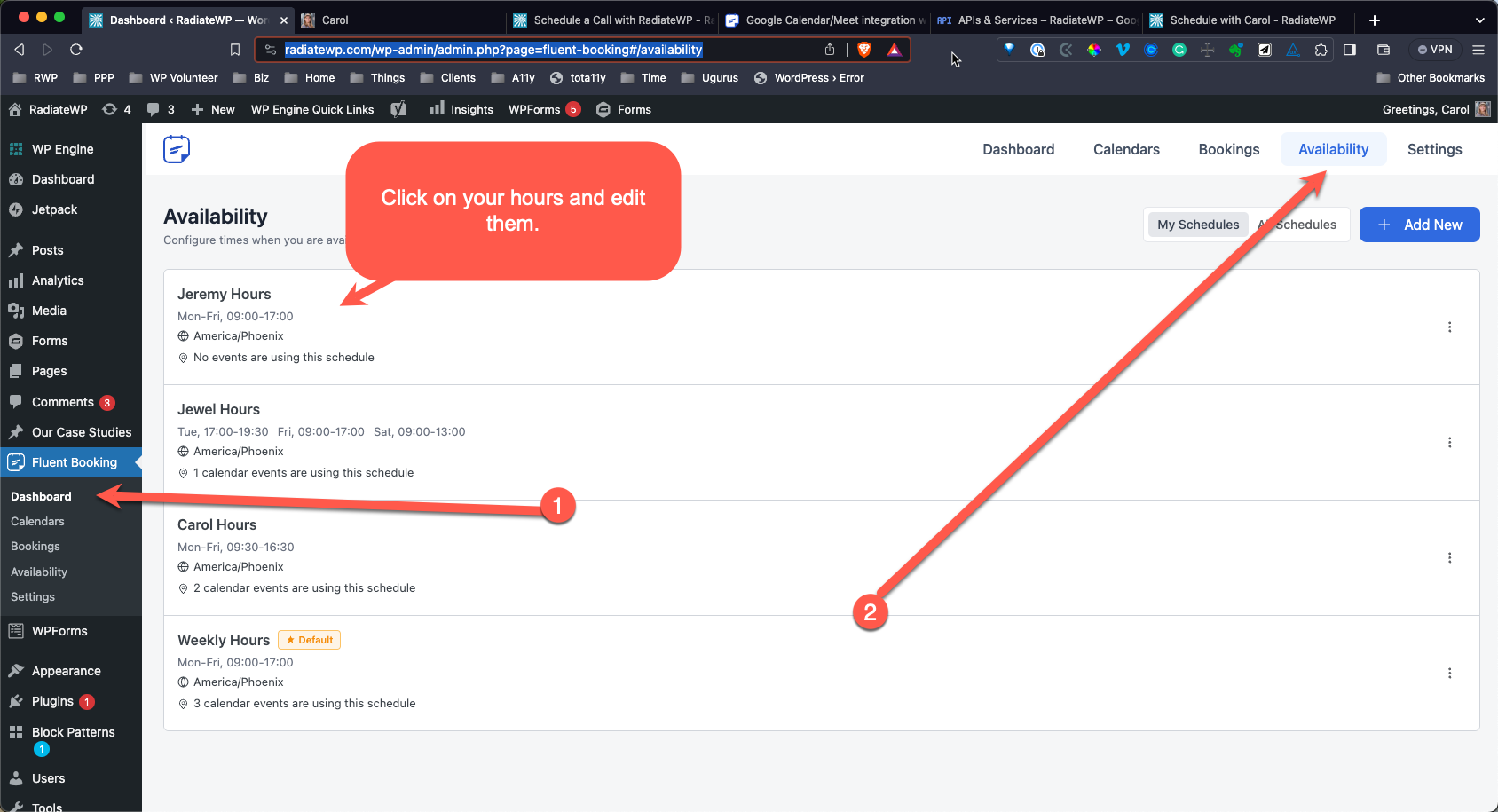 Edit your hours and add any date overrides
 Editing Meeting Types
You can have a landing page with all meeting types, or you can share a single meeting type.
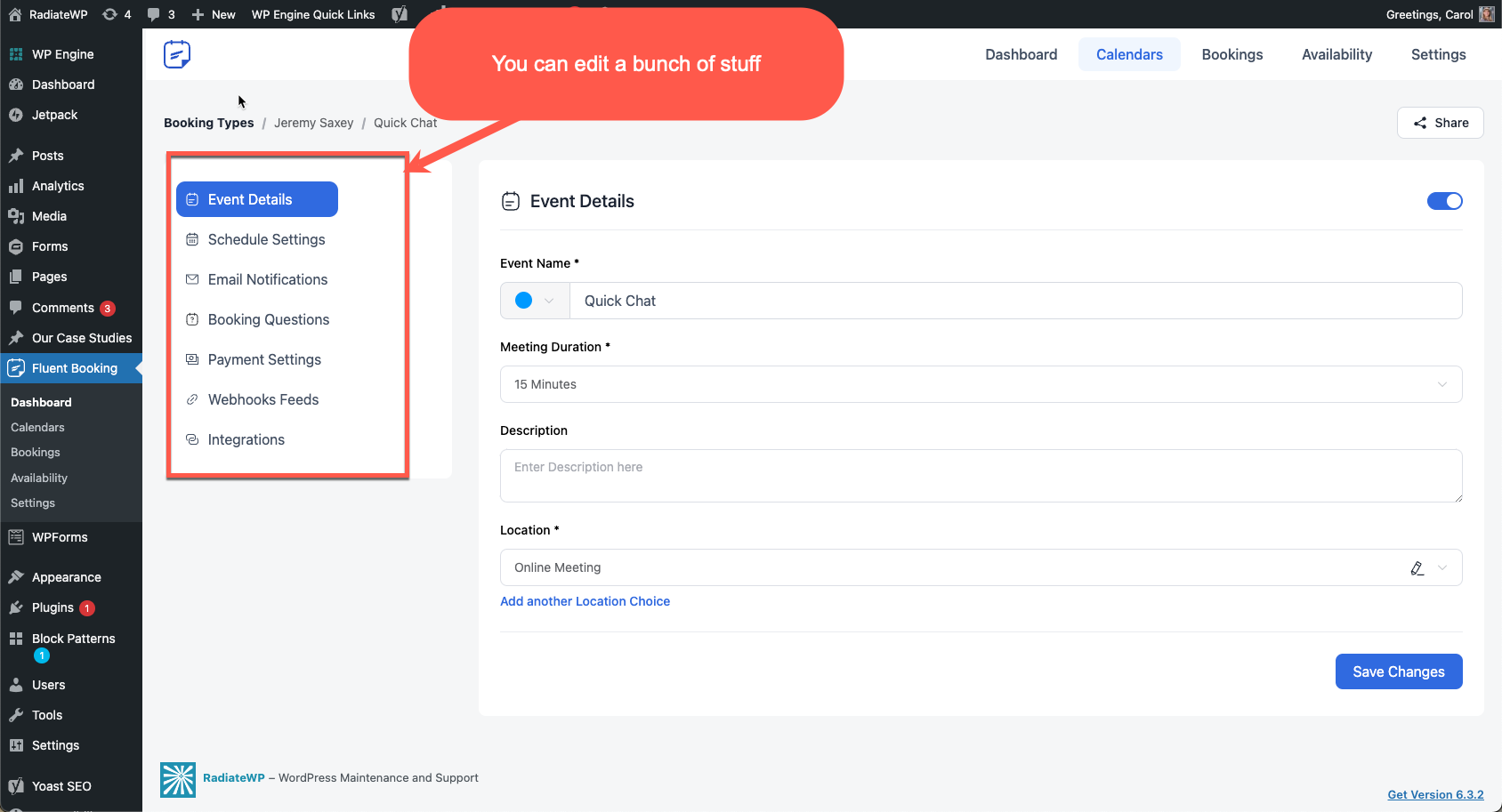
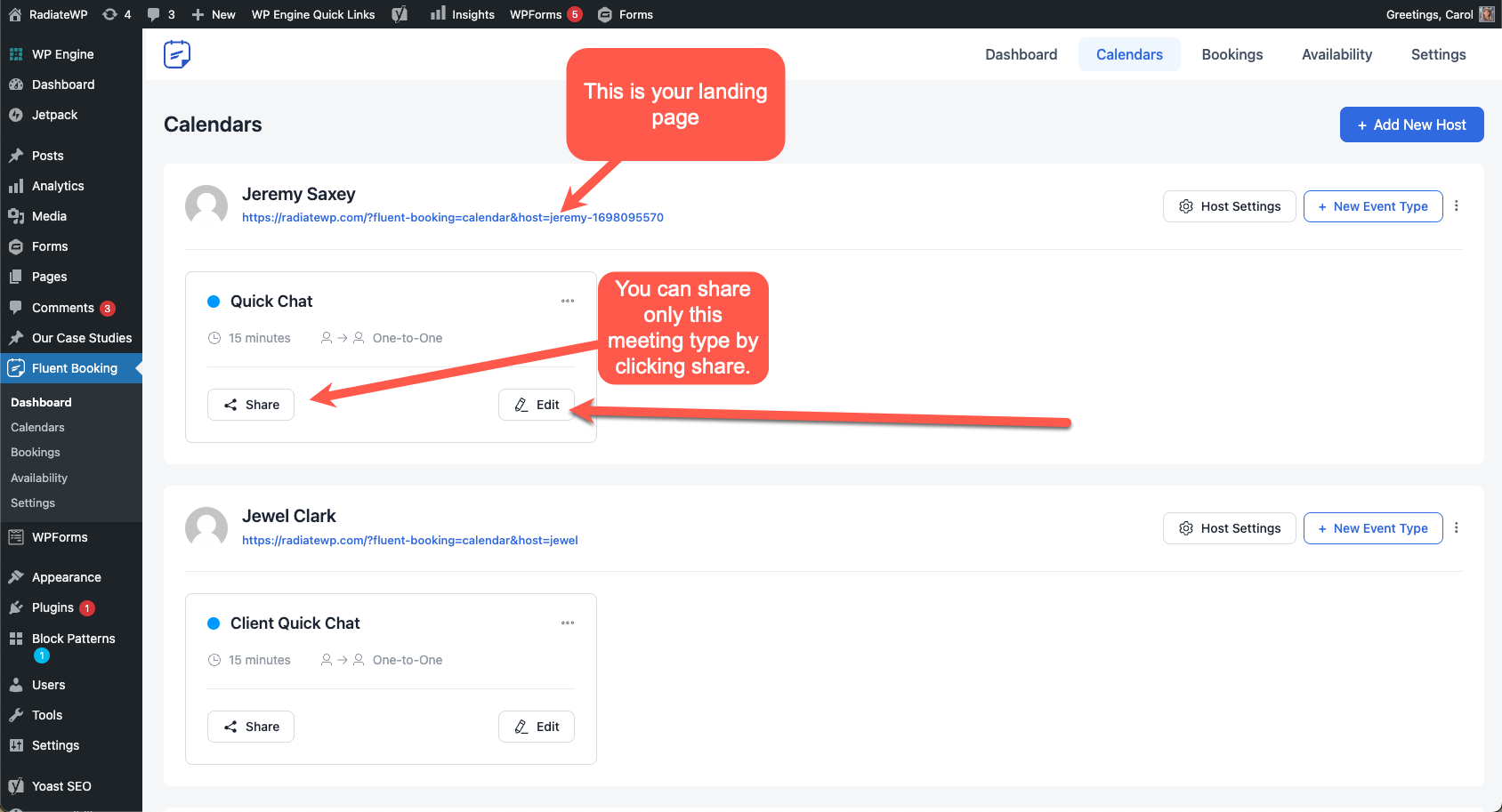 You can edit many different things for each meeting type including different booking questions and unique email notifications for each meeting type.
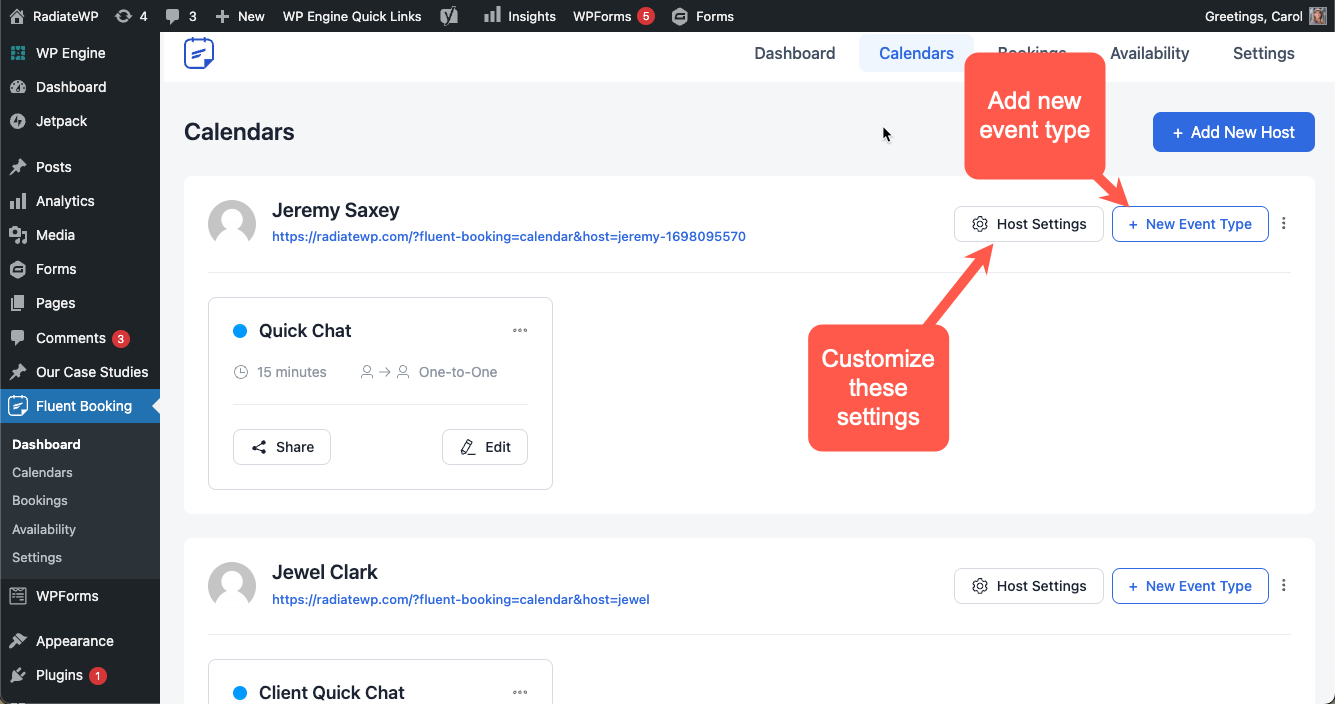
Edit your Host Settings
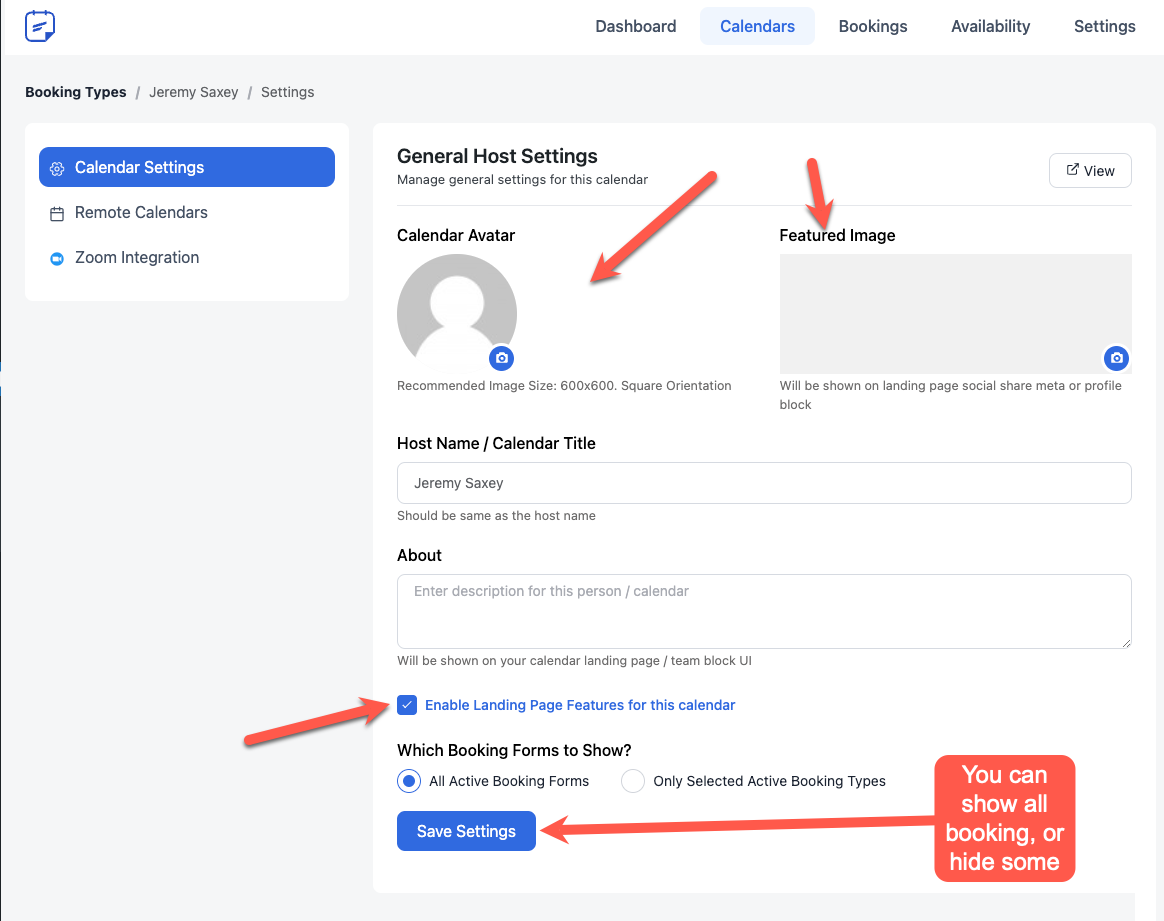
 You can check which meeting types show on your landing page.
 Connecting Your Calendar
Connecting your calendar is in your host settings.
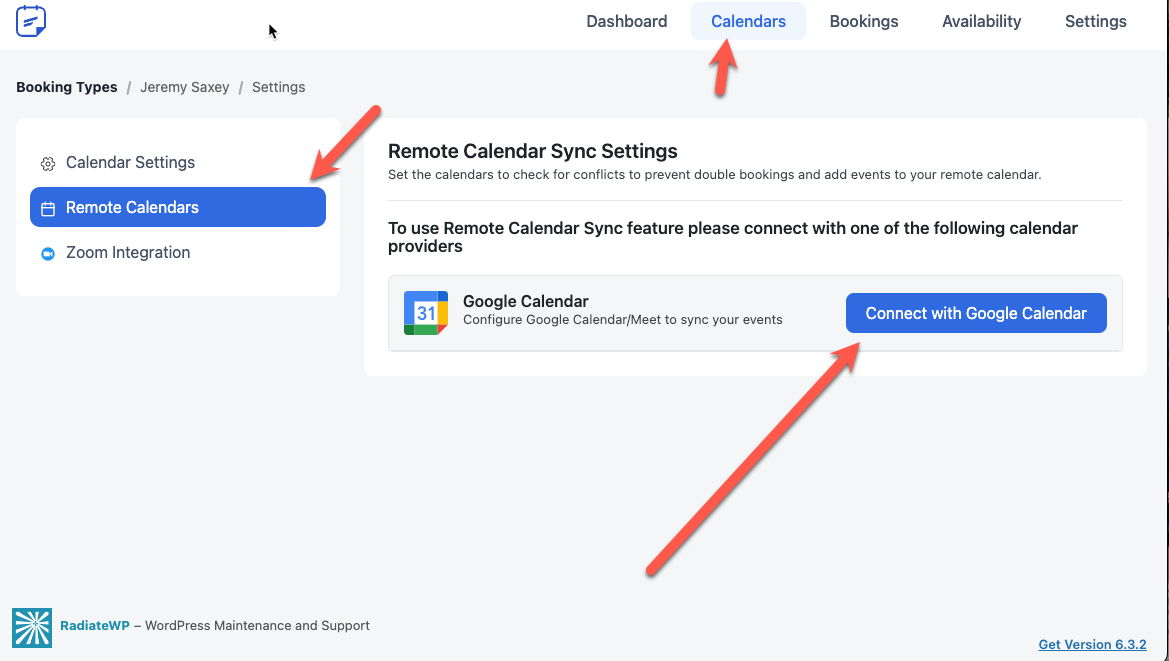 *Note – Currently as of 10/23, you cannot connect an external calendar (not a Techtoolsonline Google account) without getting the “This is not verified, proceed with caution warning”. The app will soon be verified and then any calendar can be added without having to go past that “proceed with caution” warning.
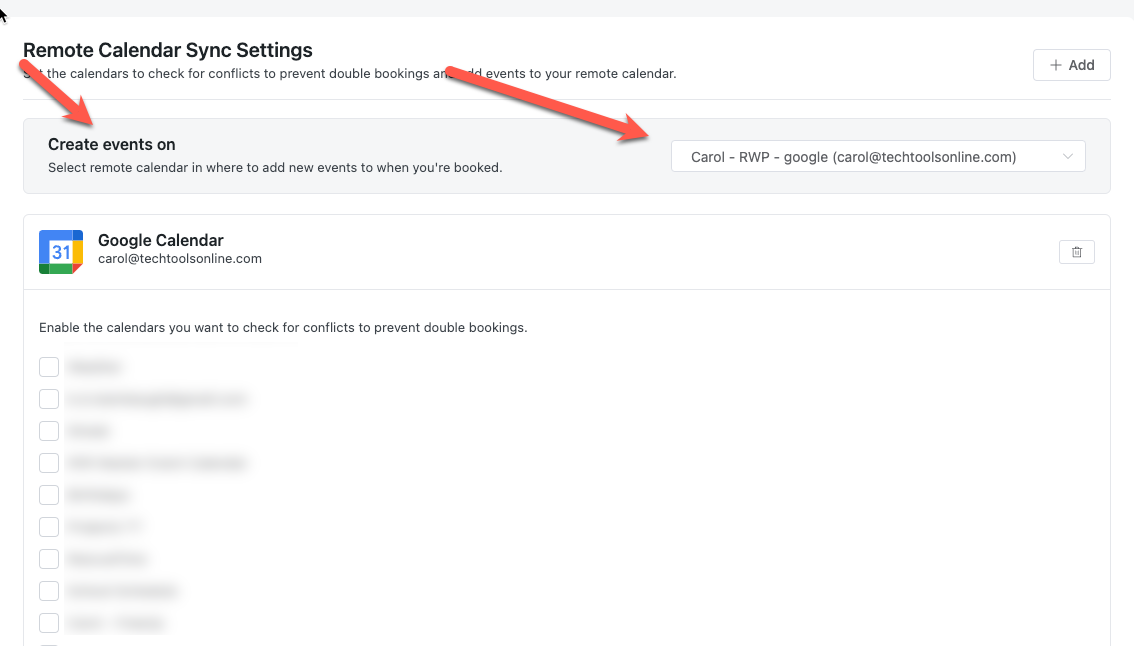
Set the Calendar where you want to save bookings
The calendar shown here is where any new bookings will be added.