
We track all of the site audits that we complete and keep these records so that we can advertise our audits and recommendations.
1. When you are assigned a website audit stats to enter, you will get a card assigned to you in Fluent Boards. The card will contain the URL of the website, the URL of the audit report, and the date the audit was completed.
2. Go to the Site Audit Issue Tracking report. Enter the URL and date at the top of the spreadsheet.
3. Go through the scores on the scorecard and enter them into the appropriate place on the spreadsheet. (Not all audits have scores for every section, for example, user experience is only on the complex audits).
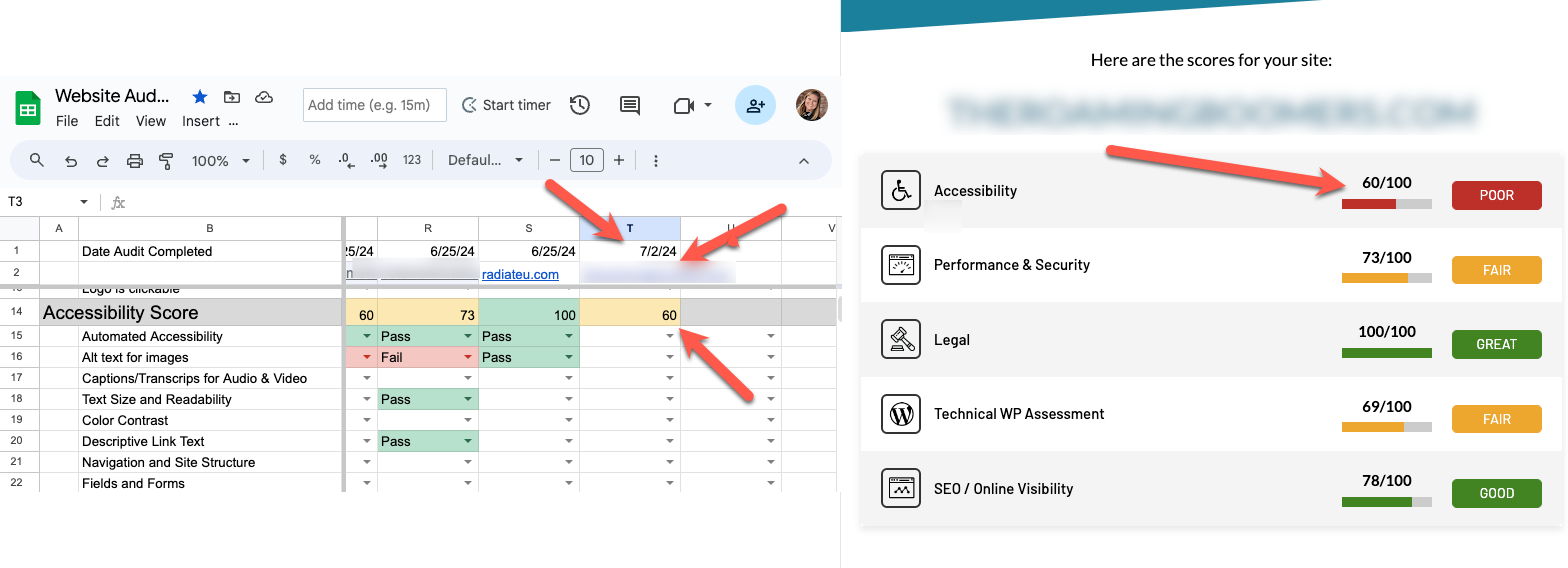
4. After you add the scores, now go through all of the dropdowns and enter them accordingly. Note that audits are different and some audits will not have all of the audit points.
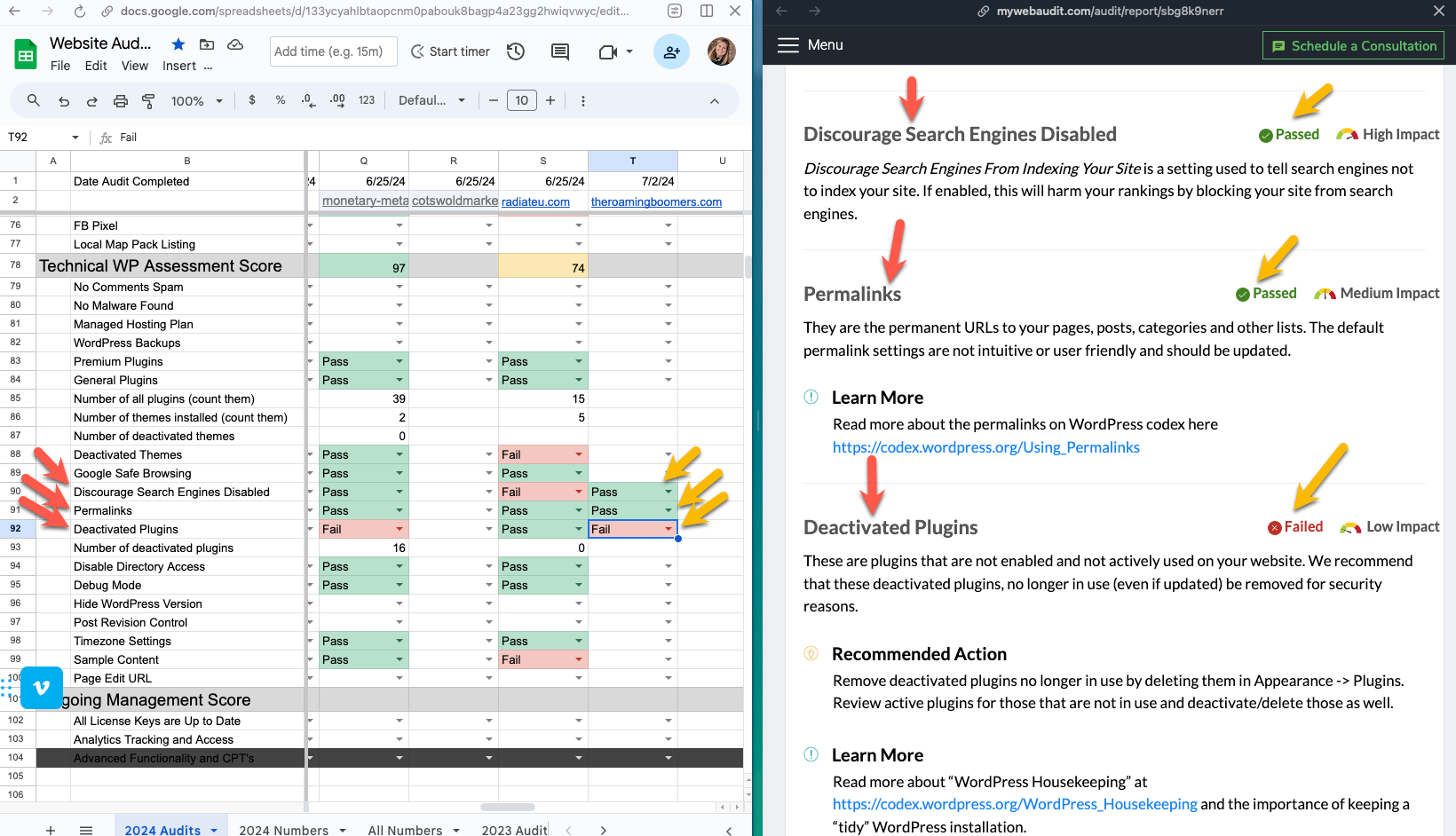 5. WP Technical Audit has some questions that are not pass/fail.
a. Number of all plugins – count the standard and premium plugins on the report. Count both active and deactivated plugins. Count them all.
b. Number of themes installed – Count all of the themes. If a site has a child theme with the parent theme, count that as just 1.
c. Number of deactivated themes – Count the number of deactivate themes.
6. When you are finished, get the number of recommendations at the bottom of the spreadsheet.
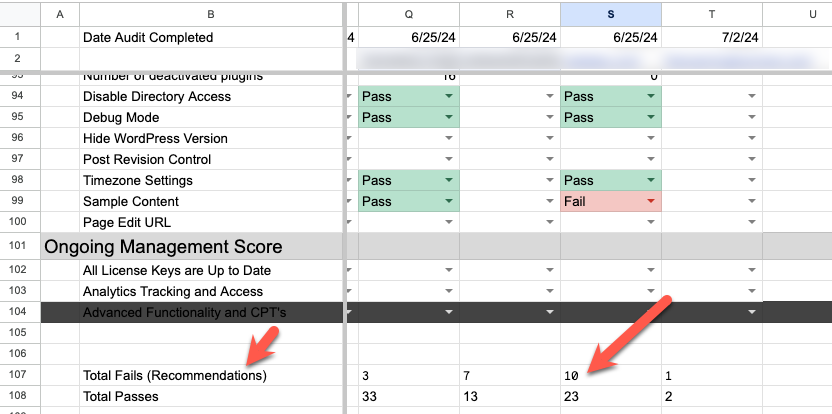 7. Go to the Performance and Reporting for Website Audits spreadsheet. Scroll to the bottom and enter the website URL, the number of recommendations (aka Total Fails), and the date the audit was done.
8. Complete the task card on your board.