
*Note – Installing this plugin is classified as support.
- Stage the site as if doing regular monthly updates.
- Go to staging and click plugins.
- In plugins, click “Add New” at the top of the page.
- In the search bar, search wp101 plugin.
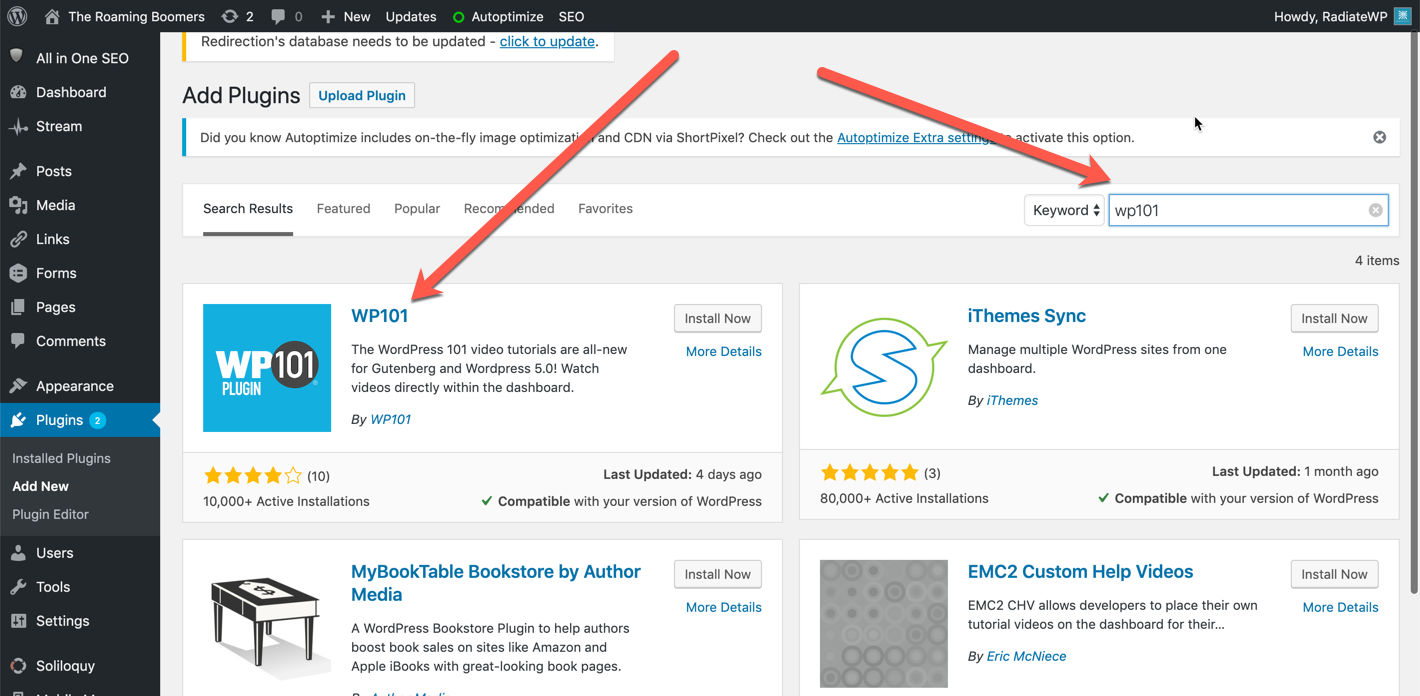
- Click Install Now and then click activate.
- Look at the front page of the site make sure it displays properly. No need to go further than the front page.
- Now push staging to live with NO TABLES.
- Once on live, go back to plugins and activate the plugin.
- Go to the video Tutorials/Settings and click “Get your key now”.
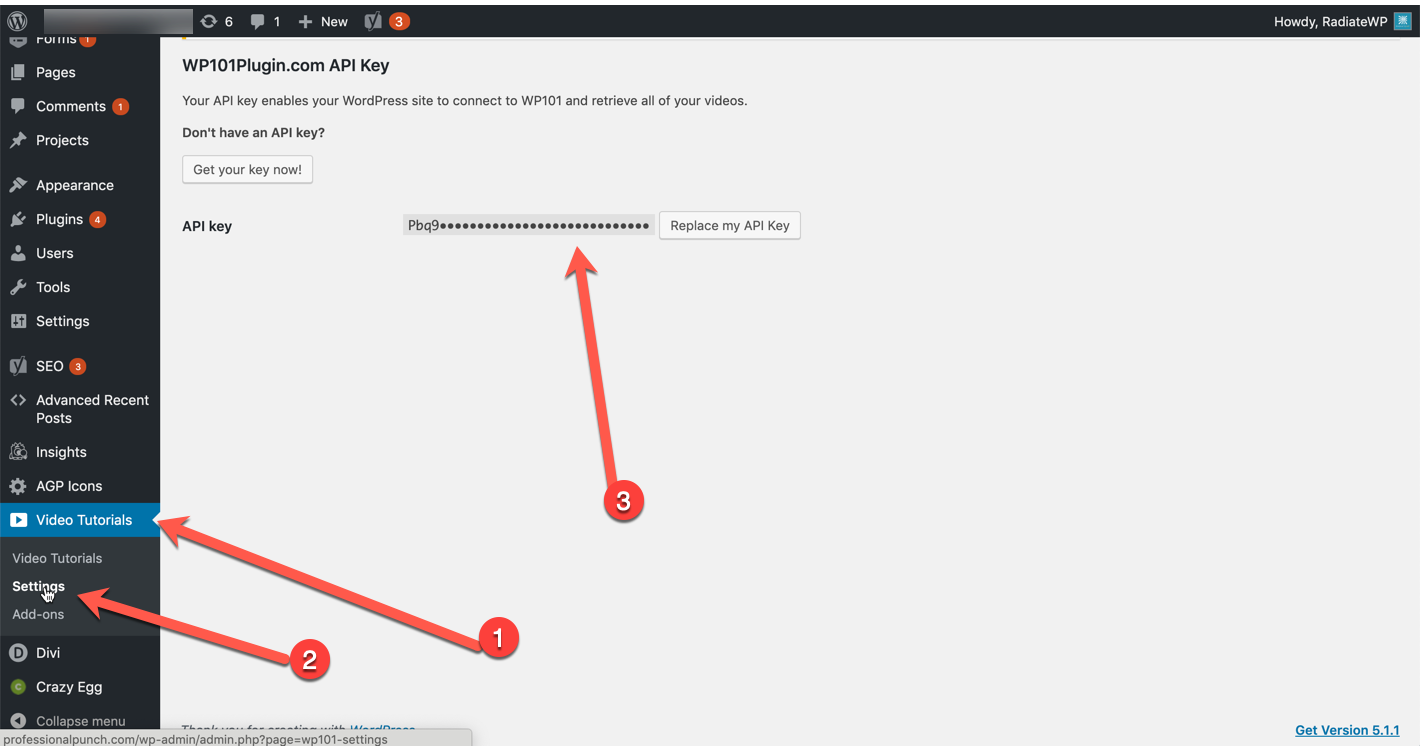
- The button takes you to the WP101plugin.com website. Log in to the WP101 site with 1pw creds.
- Click “Carol Stambaugh” in the top right-hand corner and then click API Keys.
- If there is an “Empty API Key” then copy that key and use it. If not, then click “generate another API key”
- Go back to the website and enter the API key.
- Go to the video tutorials and make sure they play.
- Send saved reply in HS letting the client know that the videos are available.