
Here is the flow of how our privacy policy statement service works:
We have 4 pages on our website that go into detail on the policy statements.
- https://radiatewp.com/website-policy-statements/
- https://radiatewp.com/website-policy-statements/legalities-of-privacy-policy/
- https://radiatewp.com/website-policy-statements/attorney-information/
- https://radiatewp.com/website-policy-statements/website-policy-purchase/
When a client purchases this service:
- We will get an email in HelpScout notifying us of the purchase.
- This needs to be assigned to the proper person to add the $10 subscription to their monthly bill.
- Then the HelpScout message is assigned to another person to begin the actual support work for the policy.
Adding the Policy
- Go to Termageddon and add a new license.
- Once added, you will be asked to begin the setup. Go through and answer as many of the questions as possible through the Termageddon dashboard. Some things to note:
- You must complete the global information to add a policy and the global policy requires some information like the state in which the business is incorporated.
- Either in a phone call or if the client does their own review of Termageddon, it is critical that they review the global section as well as each policy.
- Many of the questions have to do with how they conduct business, so we cannot answer those and they need to be saved for the client to review or to discuss in a phone call. But anything regarding the technical details of the website (cookies, google analytics, etc) is something we can do.
- Once done, make sure to click “Save Draft”.
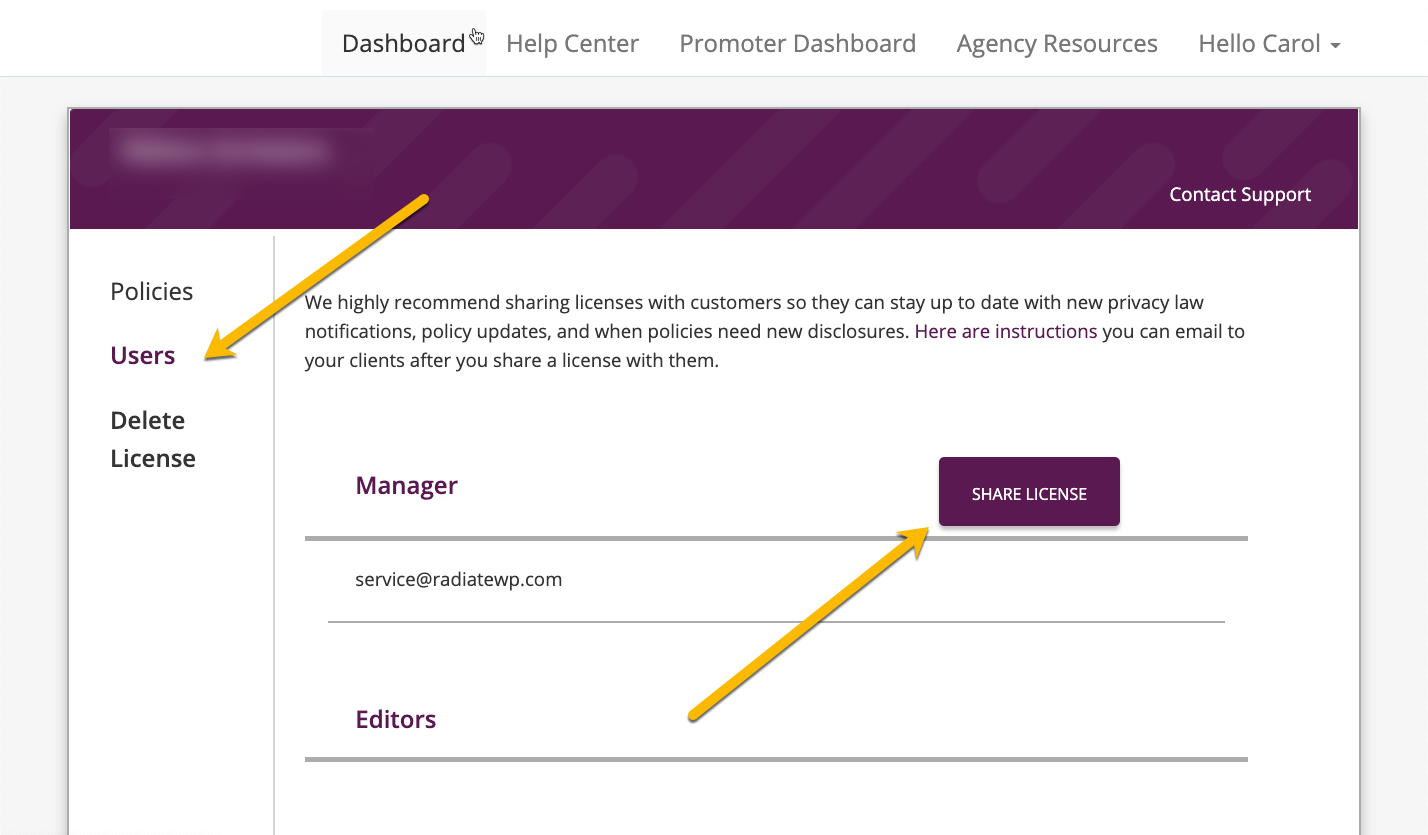
- On the client’s dashboard, go to Users and click “Share License”.
- Send a message using Help Scout to the client and letting them know that the remaining questions need to be answered in consultation with the client. Offer them two options:
- Use the login that they receive when we share the license and try to answer the questions themselves. It can be helpful to record a video (using Dubb, Vimeo, or UseLoom to record your screen and show them how to access the global information and the different policies)
- Schedule a zoom call to review the questions together. Here is a link to send them to schedule a zoom call.
- Create a page on the client’s website (if one doesn’t already exist) for all of the following:
- Privacy Policy
- Terms of Service
- Disclaimer (if applicable)
- Eula (if applicable)
- Copy the code from the Termageddon dashboard into the HTML code of each page and then link these pages in the footer of the website.
- Verify that each page is showing in the footer. (Different websites handle footers differently.)
- Send a message from HelpScout (or reply from an open ticket if there is one) letting the client know that the work has been completed.
- Close all related HelpScout tickets.