- Go to https://rwp.activehosted.com/
- There are several logins for Active Campaign in 1Password, so look for the one titled “RadiateWP Active Campaign Account“. The email address is [email protected].
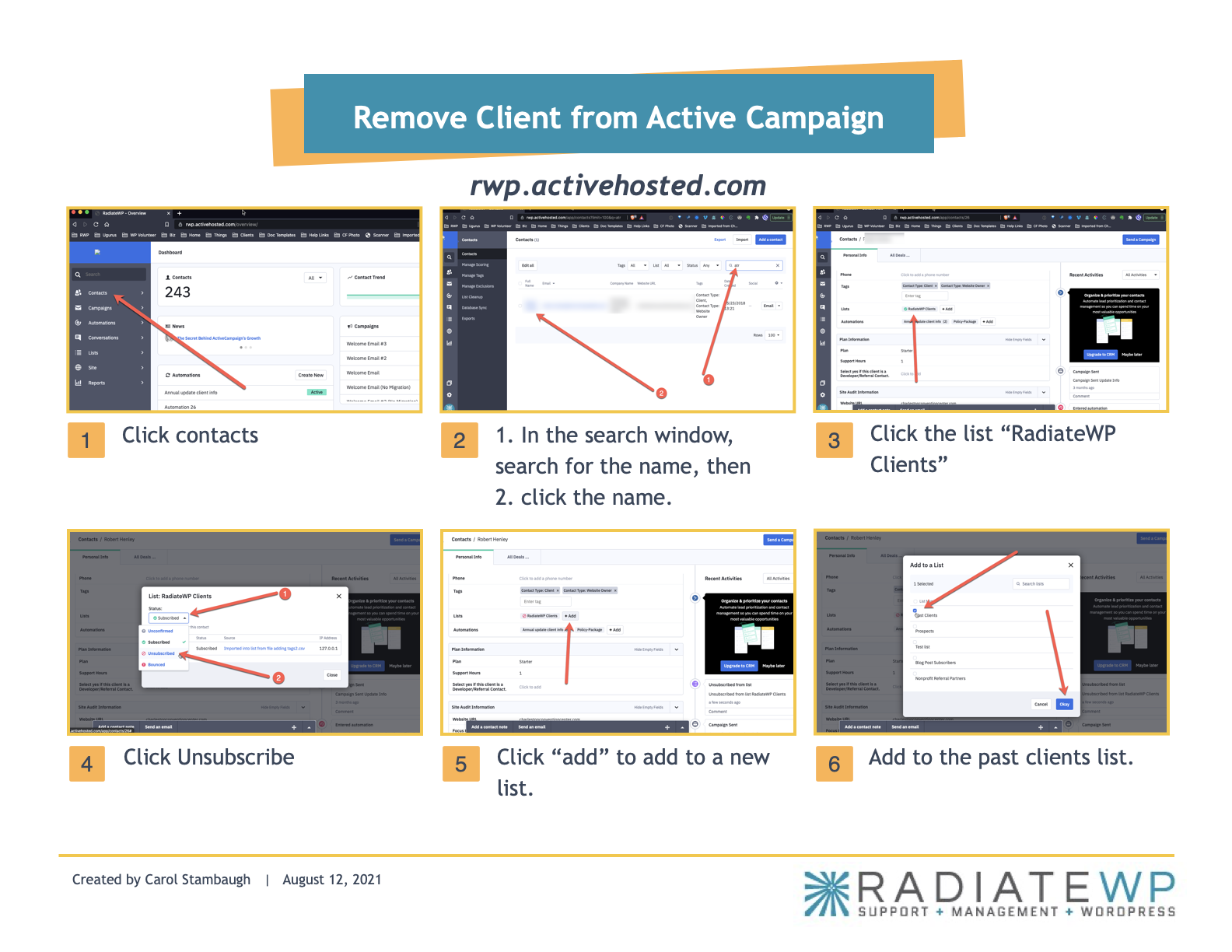
- Click Contacts (left-side menu)
- In Search contacts box (upper right), search for website (or contact) and click the desired result
- Under Tags section > Lists, click list name “RadiateWP Clients“
- Click Status drop-down and switch to “Unsubscribed“, click Close
- Click + Add button to add to a new list
- Check box for Past Clients and click Okay