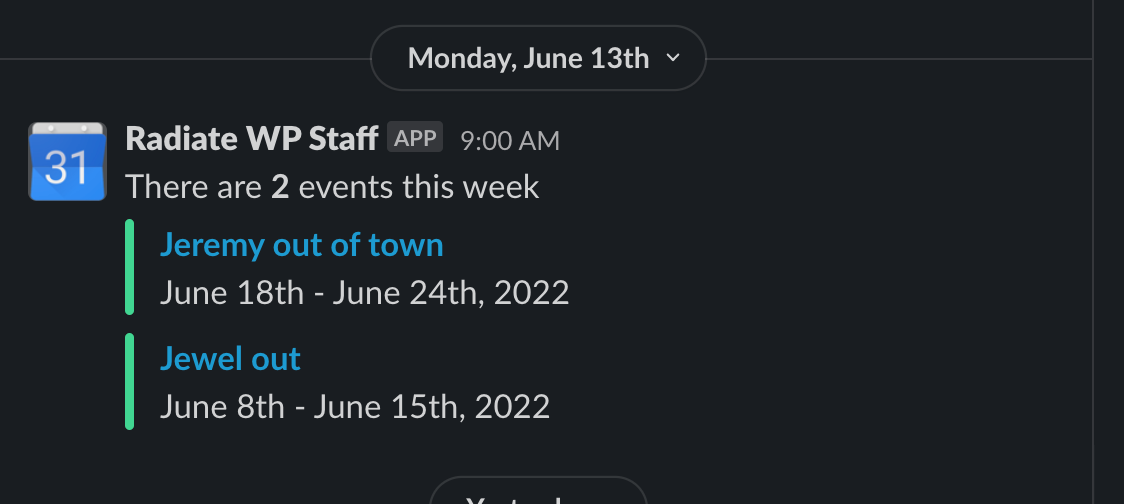
If any of our support team members are going to be away and not available to help with support issues for clients (or website build projects) we ask that you simply add it to our calendar to let us know.
- Go to the service@rwp Google Calendar and make sure to log in using the service@rwp log-in credentials which are found in 1pw.
- Click Create Event
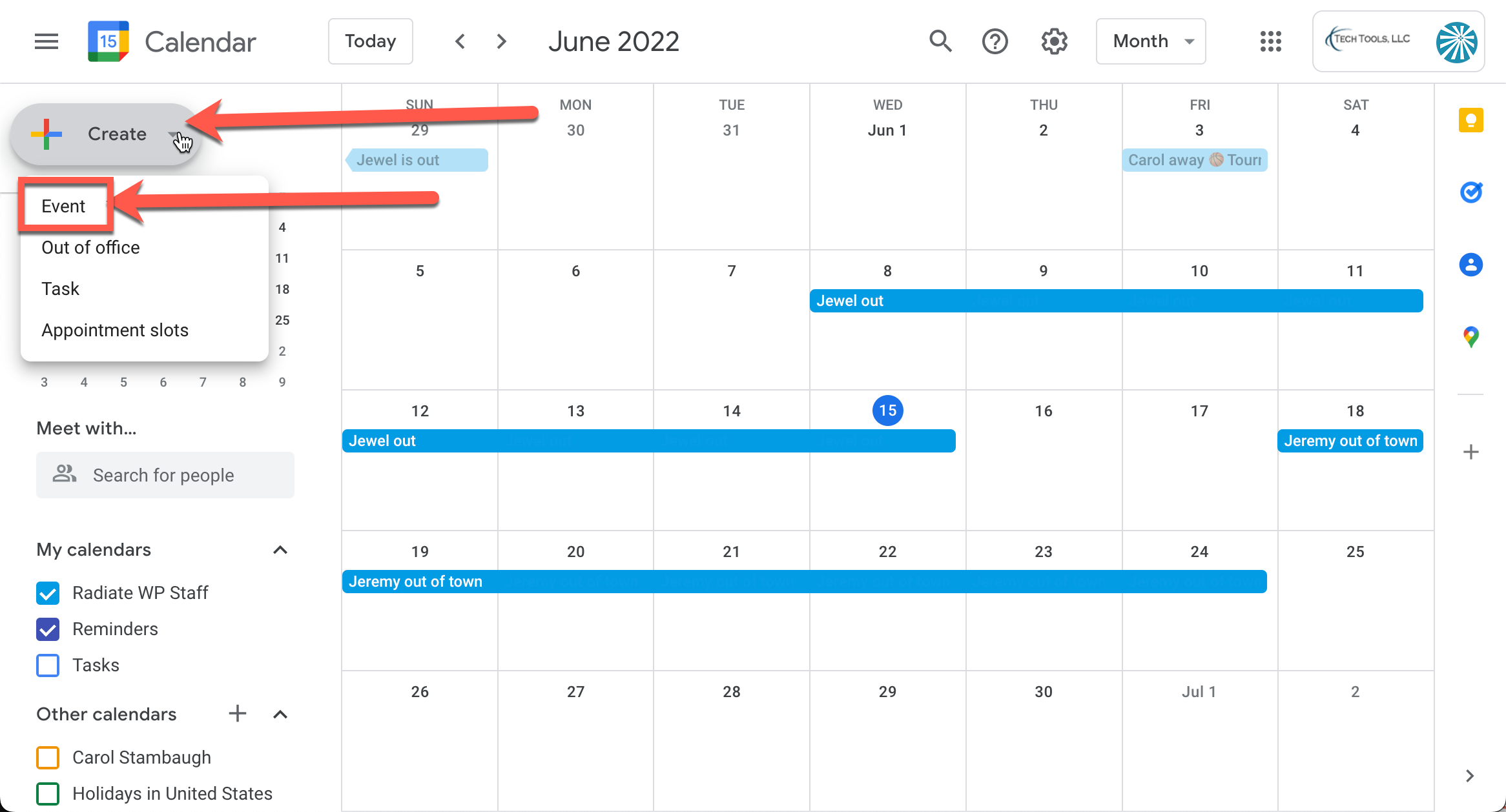
- Create the event.
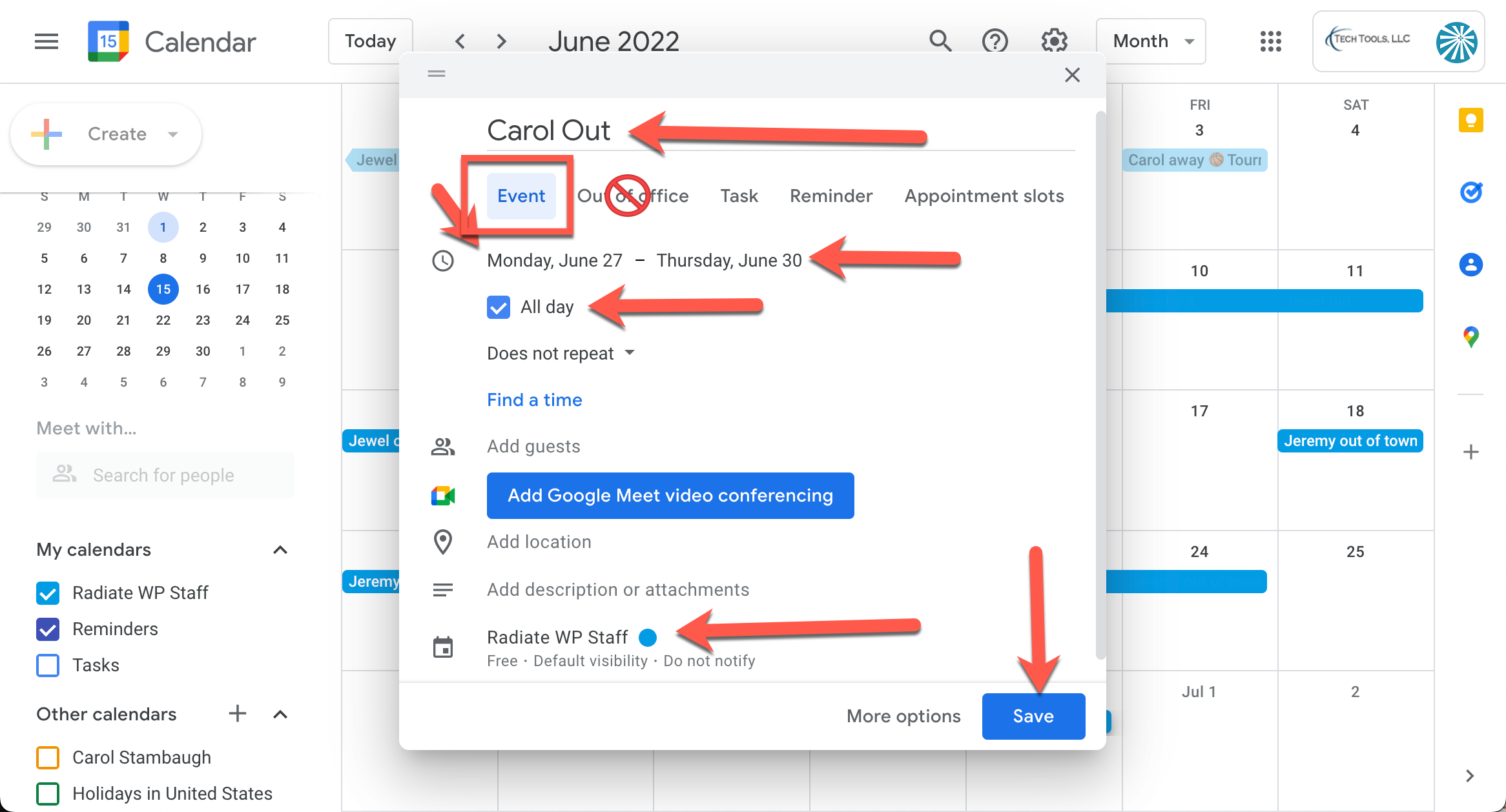
- Even though “out of office” is an option, do not use it. Use event.
- Add your name and say that you are out.
- Make sure to add a checkmark next to all day.
- If you are out multiple days make sure to mark your full time.
- Double-check to make sure this is being added to the Radiate WP Staff calendar and not another calendar.
- Click Save
- Now that the event is on the staff calendar, Slack will remind us the week that you are scheduled to be out.