To view the subscription details for a client’s website, such as their plan bill amount, or any upcoming invoice items (plugins, support overage, domains, etc.), follow these steps:
- Click the website from the list of websites on the Client Site
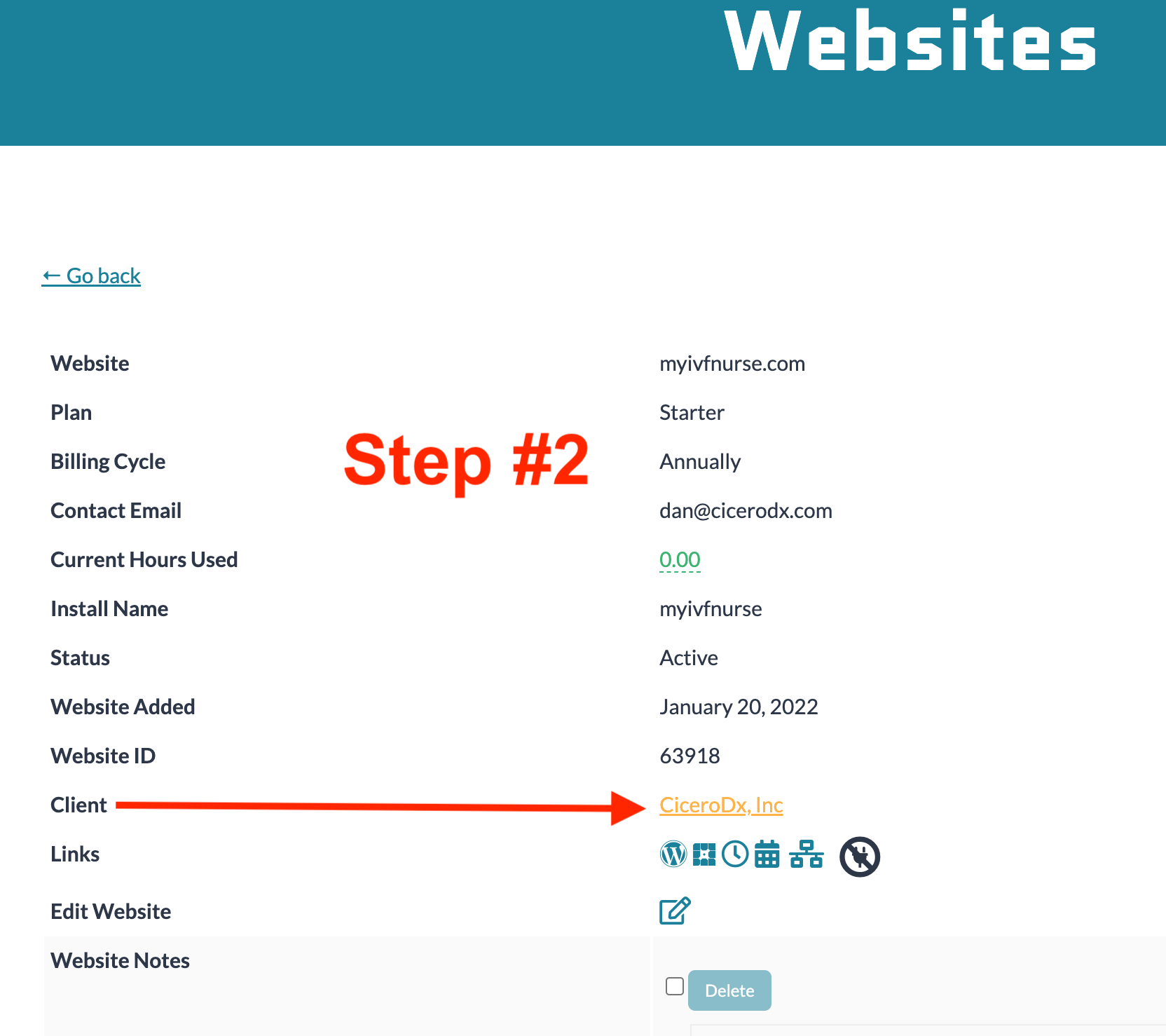
- In the website details, look for the label “Client” and click the link to view the client’s details
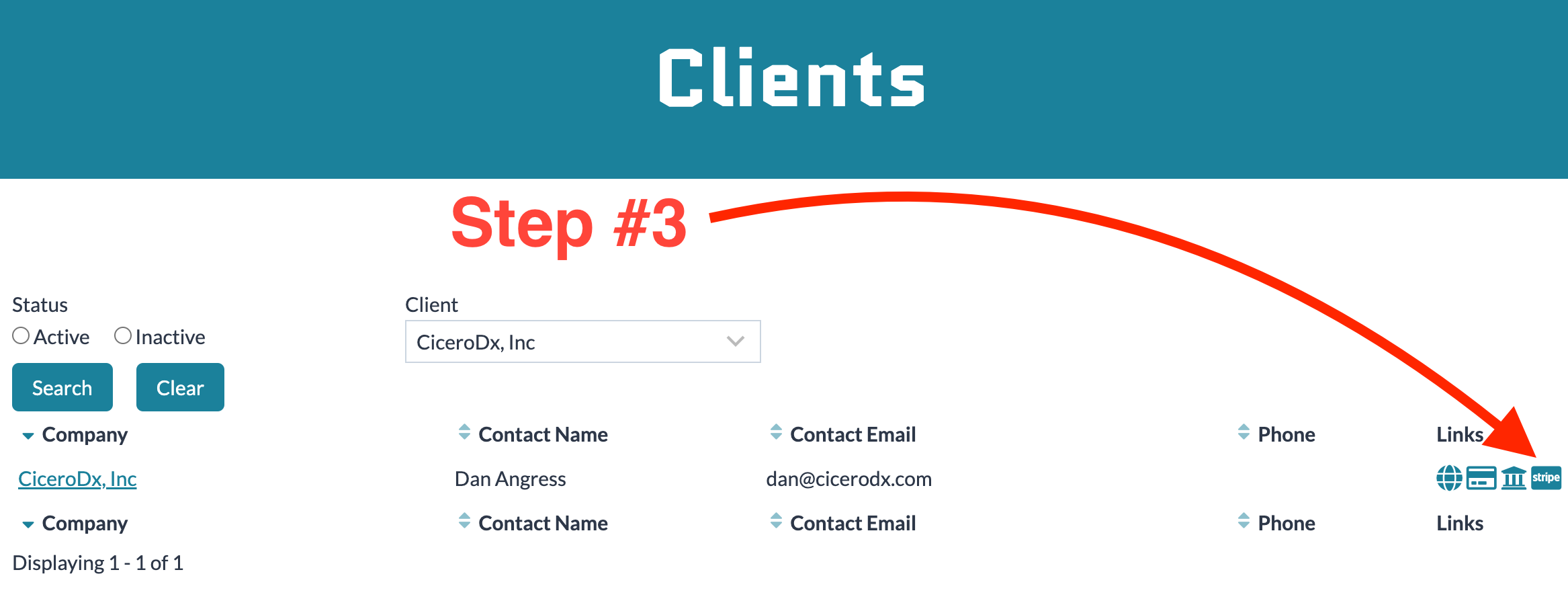
- On the Client’s page, click the Stripe icon
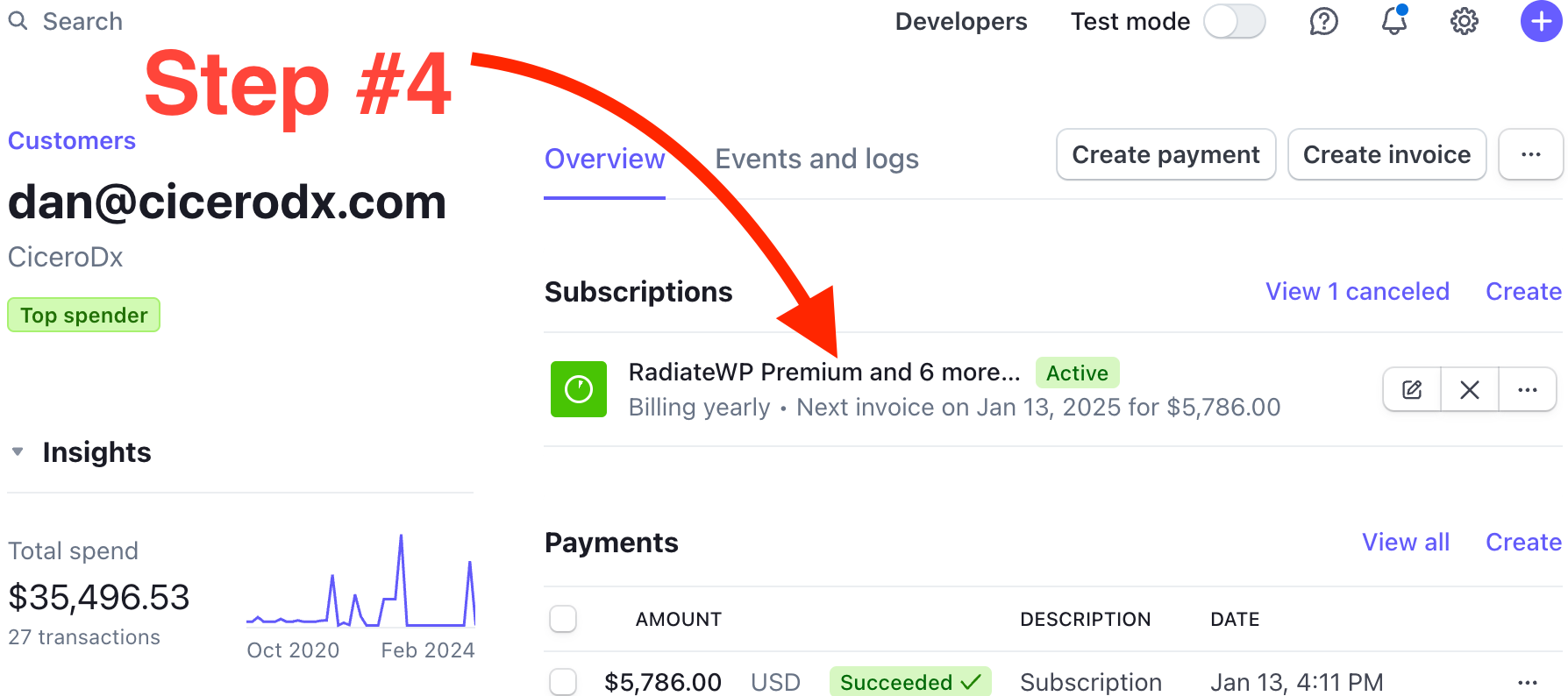
- On the Stipe Customer page, click Subscriptions
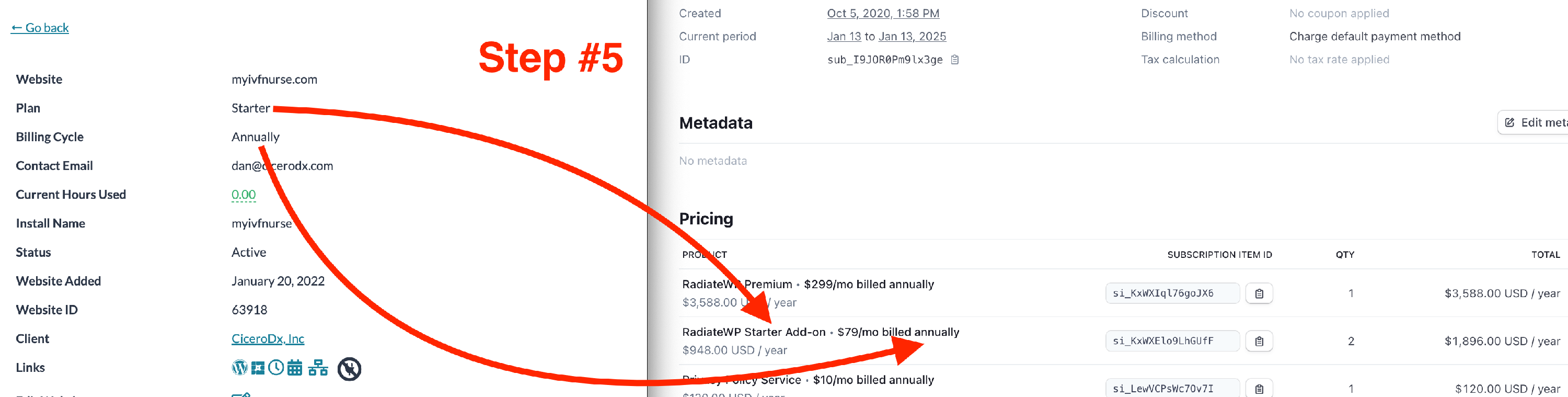
- Now match up the Client Site Website page Plan and Billing Cycle to the Stripe subscription product pricing
Note: If you are confused on which plan the site is subscribed to (Add-on pricing or not), check the document Clients with Multiple Websites and How Add-on Pricing Works
Screenshots: